Keypo SDK
A serverless SDK for sharing private data on the web. Access control logic (i.e. who can access what files) are stored on-chain. A distributed key management network (Lit Protocol) enforces the ACL when encrypting/decrypting files. All encrypted data is stored on Filecoin and payment for storage is handled on-chain.
A great solution for projects that want self custody, no vendor lock-in and minimal recurring expenses.
Why Use This
Today there are two primary ways people share private data on the web.
Option #1: Manually Share Decryption Keys:
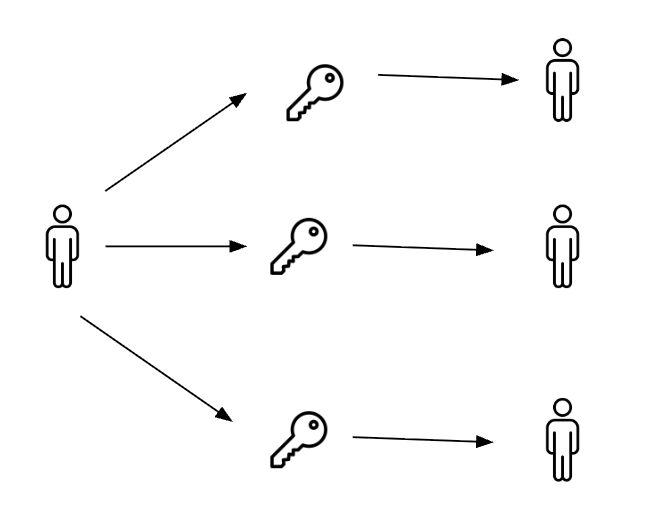
Data owner encrypts the data and shares the decryption keys with others.
A few examples: password protected zips, download links.
Can be totally self-custody (i.e. not reliant on a platform) but is cumbersome to manage and the data owner can’t stop users they’ve shared with from sharing the decryption key with unautorized users.
Option #2: Server manages access control
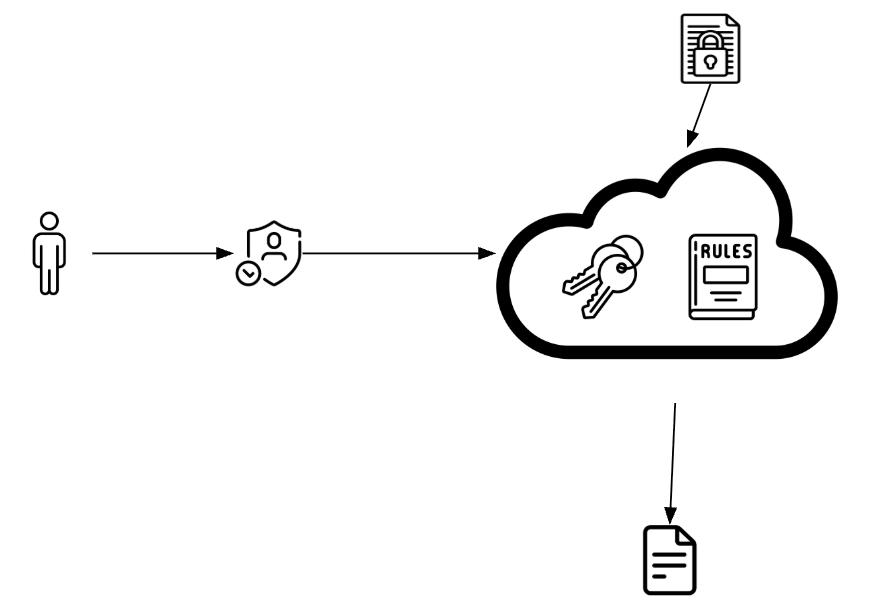
Data owner uploads file to a server (think Dropbox, Google Drive or a custom app deployed to AWS, Azure, etc) and sets rules for who can access the file.
Users then auth with the server, server checks the rules and delivers the file to the user.
Much more convenient than manually sharing decryption keys, but now you have vendor lock-in and ongoing maintenance (or put more simply: if the server goes down, the data isn’t accessible anymore)
We take the server-based model and make it serverless

Keypo is built entirely on decentralized rails so there’s no vendor lock-in and no ongoing maintenance.
Key Features
- Decentralized access control powered by Lit Protocol and Keypo’s smart contracts
- Decentralized storage powered by Filecoin Onchain Cloud
- Type-safe TypeScript implementation
- Account abstraction via ZeroDev for gasless transactions
Multi-Network Architecture
The SDK operates across multiple networks for different functions:
- Filecoin Storage: Calibration testnet for decentralized file storage
- Smart Contracts: Base Sepolia access control and permissions
- Encryption: Lit Protocol Naga Test network for key management
Getting Started
To get started, check out our quickstart guide which covers installation, setup, and your first file upload.